Re: Howto: play BD3D with SVP using MPC-BE or Daum PotPlayer

Chainik wrote:
Chainik wrote:

(though it's not good cause it wants to run as admin, and then it won't work with SVP unless you run SVP as admin too...)

Sorry I missed that smile I'm sure that will fix it! Thanks!

77 (edited by narkohol 29-07-2025 02:25:09)

Re: Howto: play BD3D with SVP using MPC-BE or Daum PotPlayer

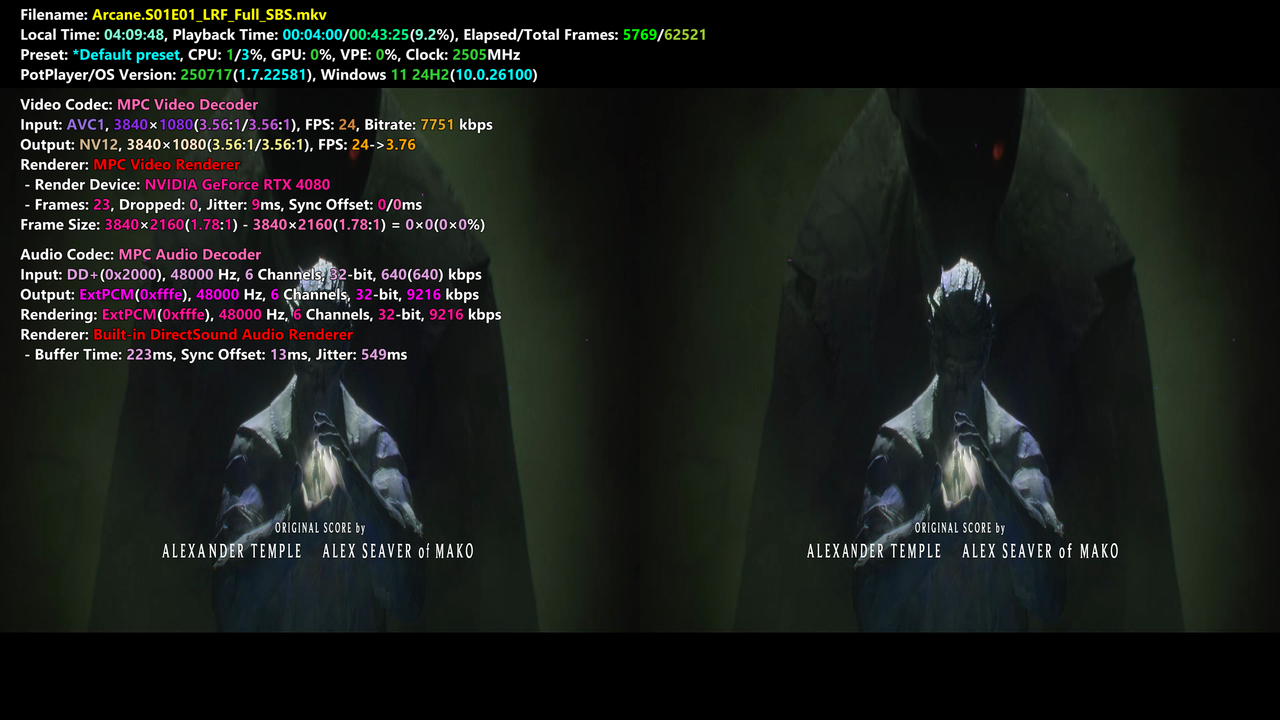
I'm trying to use SVP on a FullSBS video (3840x1080) that I output to a 3840x2160 display mode and looks like this in PotPlayer (using 'Stretch'):

https://i.postimg.cc/66GtSBmq/image.png

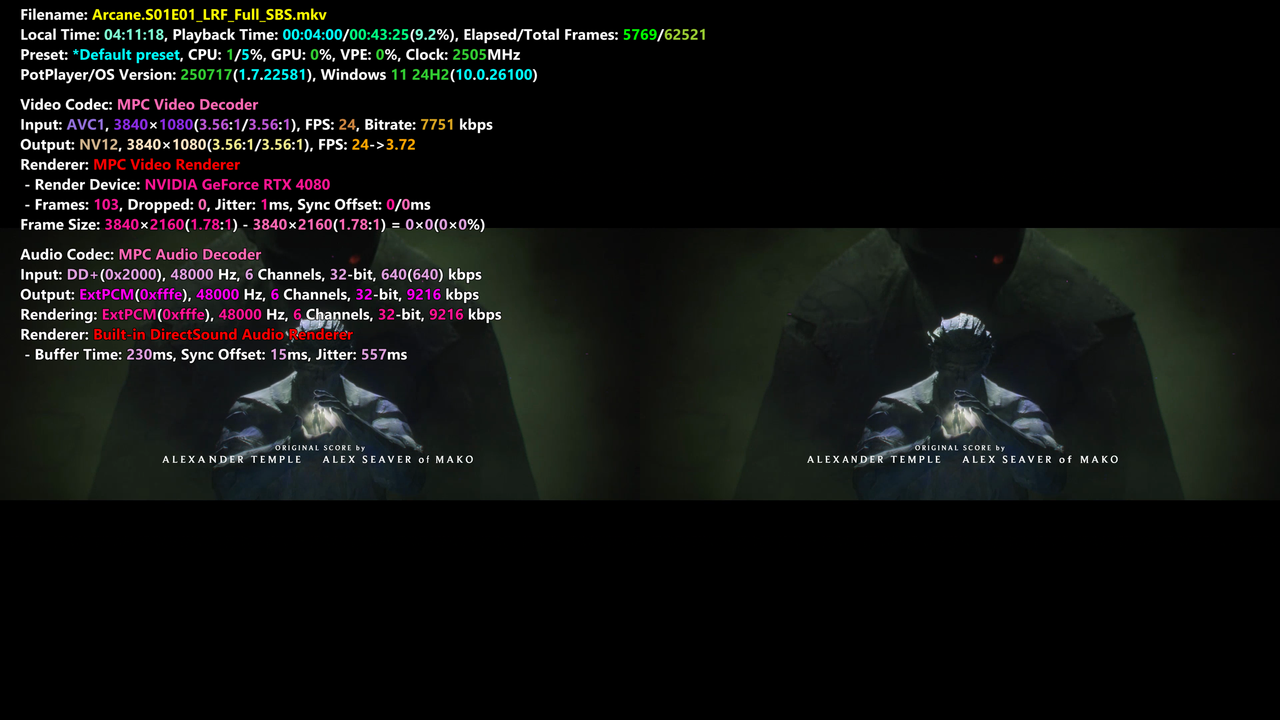
But when I enable SVP RIFE the aspect ratio gets wrongly changed to this:
https://i.postimg.cc/htMBxvfy/image.png

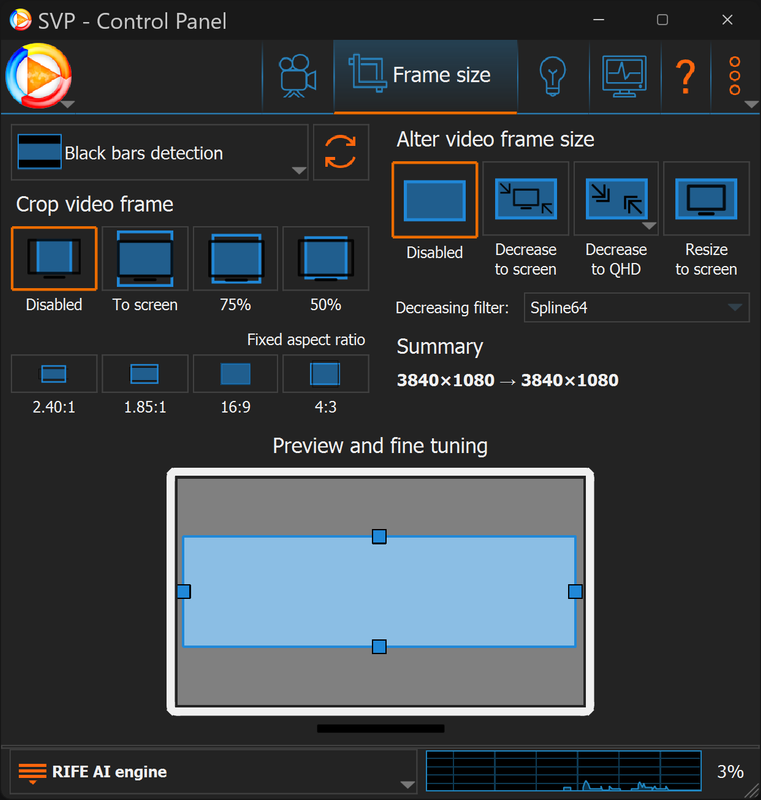
Despite having 'Crop video frame' and 'Alter video frame size' disabled:
https://i.postimg.cc/KjnXYv65/image.png

How can I make SVP stop altering the aspect ratio?

78 (edited by narkohol 29-07-2025 02:34:27)

Re: Howto: play BD3D with SVP using MPC-BE or Daum PotPlayer

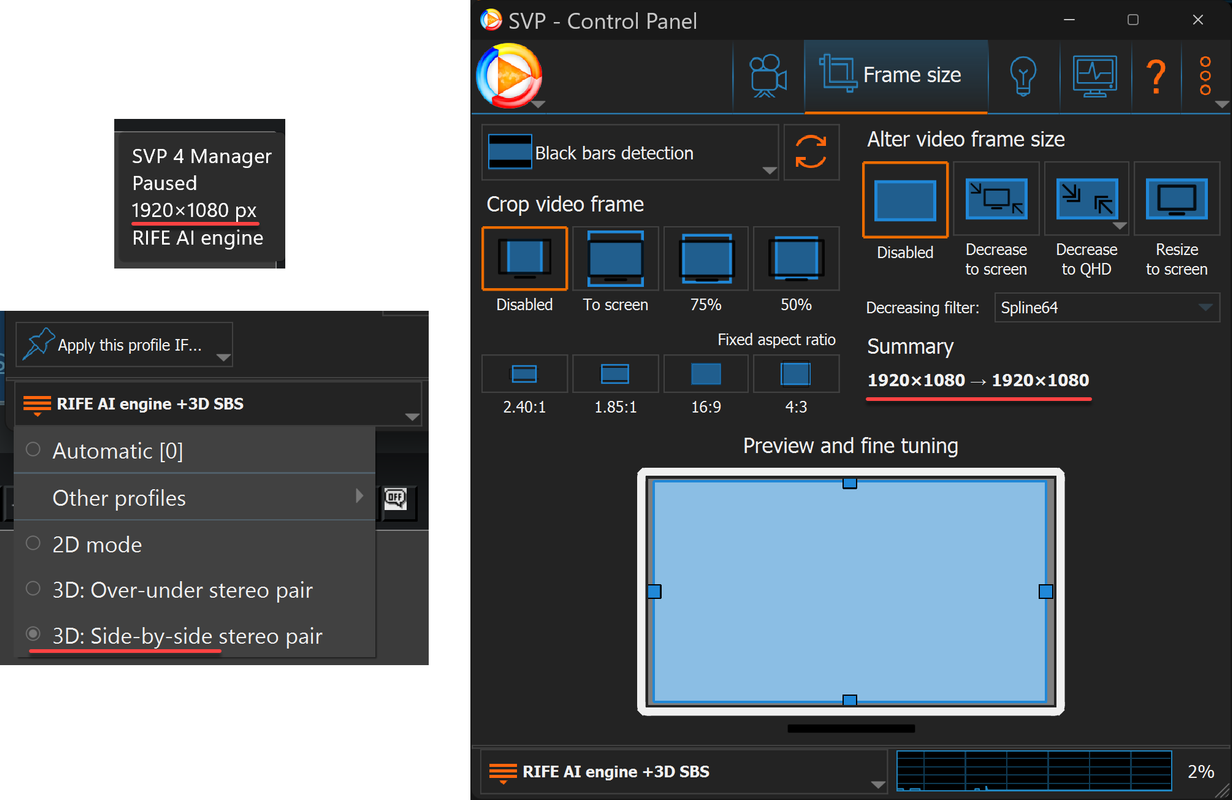
When I activate the '3D SBS option' then it looks fine, but the resolution reported is 1920x1080:

https://i.postimg.cc/T1m9MKzT/image.png

Is this correct?  is it reporting the resolution per eye instead the full resolution of the video file?

Re: Howto: play BD3D with SVP using MPC-BE or Daum PotPlayer

narkohol wrote:

When I activate the '3D SBS option' then it looks fine, but the resolution reported is 1920x1080:

...

Is this correct?  is it reporting the resolution per eye instead the full resolution of the video file?


I had a similar issue where it would squish it vertically by 2x (but not related to SVP) just the broken 3d implementation in PotPlayer.
The fix for me was to bind a keyboard shortcut to "3D -> Fullscreen" (not the normal fullscreen shortcut).
Then enter fullscreen video mode first (and the size gets squished in half vertically), then hit your bound keyboard shortcut 2-3 times until it stretches back to the proper vertical resolution (in my case this was normal aspect ratio, for you it will probably be 2x vertical stretched).
I don't know if this will work for you, but it seems like it might be the same issue, although my PotPlayer didnt need SVP to have this issue it has always had this issue.

Re: Howto: play BD3D with SVP using MPC-BE or Daum PotPlayer

r75cq wrote:

I don't know if this will work for you, but it seems like it might be the same issue, although my PotPlayer didnt need SVP to have this issue it has always had this issue.

In my case it is SVP. It happens the moment SVP gets enabled, and it goes back to normal if I close it.

Forcing the SBS mode seems to work, but SVP reporting a '1920x1080' resolution is what was worrying me. I guess it is counting just per eye? because if not there should be a noticeable difference when enabling/disabling it, and I don't see it...

Re: Howto: play BD3D with SVP using MPC-BE or Daum PotPlayer

narkohol wrote:
r75cq wrote:

I don't know if this will work for you, but it seems like it might be the same issue, although my PotPlayer didnt need SVP to have this issue it has always had this issue.

In my case it is SVP. It happens the moment SVP gets enabled, and it goes back to normal if I close it.

Forcing the SBS mode seems to work, but SVP reporting a '1920x1080' resolution is what was worrying me. I guess it is counting just per eye? because if not there should be a noticeable difference when enabling/disabling it, and I don't see it...


Mine reports 1920x1080 as well, I think it's just per eye as you say.

Re: Howto: play BD3D with SVP using MPC-BE or Daum PotPlayer

r75cq wrote:
narkohol wrote:
r75cq wrote:

I don't know if this will work for you, but it seems like it might be the same issue, although my PotPlayer didnt need SVP to have this issue it has always had this issue.

In my case it is SVP. It happens the moment SVP gets enabled, and it goes back to normal if I close it.

Forcing the SBS mode seems to work, but SVP reporting a '1920x1080' resolution is what was worrying me. I guess it is counting just per eye? because if not there should be a noticeable difference when enabling/disabling it, and I don't see it...


Mine reports 1920x1080 as well, I think it's just per eye as you say.

Yes I've noticed that. If you look in the scaling page,  even if it is set to downscale to QHD it still reports FHD 1920x1080 then says "Scaling: none"

Re: Howto: play BD3D with SVP using MPC-BE or Daum PotPlayer

PLEASE HELP.

I'm guessing this is the best place to ask, as I just cannot seem to find the answer anywhere else:
How can I get SVP 4 Pro, to work while watching a BD3D.iso file (frame-packed 1080p@24hz) using MPC-BE x64 ver: 1.8.8?

I have a gaming projector (viewsonic px749-4k) which does frame packing at 1080p23.98hz or 24hz, and I can get frame packing to work automatically by doing the following:

1. Get blueray 3d iso file on harddrive > rightclick >mount. (this takes a minute or 2 and once mounted is see the iso file as a dvd drive: F with its name)
https://imgur.com/s7eLetA

2. I ensure Stereo 3d mode is in Auto, ie. I go to menu > view > stereo3d mode> ensuring its at 'auto'.
https://imgur.com/0tN1GPR

3. I open MPC-BE x64, and goto file > open disc > and click on my BD3D file:
https://imgur.com/8tesCco

Although my pc's display is set to 1080p at 120hz/fps (actually it doesnt matter what its set to initially), the projector's auto Frame packing kicks in, where the screen suddenly goes dark, changing from black, grey, green blue shades very quickly, and the resolution changes automatically to 1080p24hz, and the movie starts playing in 3d... works perfectly. The video renderer, internal and external filter settings are as follows:
https://imgur.com/iwhv2KT
https://imgur.com/bJVYuRp
https://imgur.com/Jv2VTP1


As you can see, no external settings.


But when I open SVP 4 Pro, i get 'no active playback' while the movie is playing.


I've gone through the first thread of this post, I've followed the directions in the following link: https://www.svp-team.com/wiki/SVP:MPC-BE
but when i put in any external filter, eg. Avisynth Filter as suggested via the above link, or ffdshow raw video filter as suggested in the first post,
YES SVP 4 works, says there is active playback, however, auto framepacking no longer kicks in when I start the movie..... instead, i get the 2 images, upper and lower.

Same thing, framepacking doesnt work, if I get rid of madVR as renderer. So it seems, I need MadVR as renderer to get my projector to automatically get framepacking 1080p24hz to work, but once i add an external filter (like Avisynth which allows SVP to work), the 3d framepacking no longer works. Its one or the other, not both. Please if anyone knows how to get both working, that'd be a dream come true.