2,651 (edited by dawkinscm 02-10-2026 20:35:07)

Re: New RIFE filter - 3x faster AI interpolation possible in SVP!!!

Running R81 with SVP (no RIFE). Small but noticeable performance improvement over R79. Doesn't take as long to get going when playing videos and REW/FF is closer to being almost instantaneous. I am also seeing small improvements to picture quality.  I want to reserve judgement on that and in my previous edit of this post I did. But I've seen a few more things now and I'm a little more certain. Brightness and contrast haven't changed much, if at all. But the colors are a little more refined.
2,652

Re: New RIFE filter - 3x faster AI interpolation possible in SVP!!!

> But the colors are a little more refined.

absolutely no idea how is that possible
the colors MUST be identical to the source colors (i.e. w/o vapoursynth at all) on each and every version used
it isn't the question of "colors are a little more refined" or not. IF they're not identical - it's just an error.

Re: New RIFE filter - 3x faster AI interpolation possible in SVP!!!

Chainik wrote:

> But the colors are a little more refined.

absolutely no idea how is that possible
the colors MUST be identical to the source colors (i.e. w/o vapoursynth at all) on each and every version used
it isn't the question of "colors are a little more refined" or not. IF they're not identical - it's just an error.

Probably right. There is some run to run variance which I think has something to do with my VR setup. I reset everything and tried again and have not been able to replicate the same color experience.

2,654

Re: New RIFE filter - 3x faster AI interpolation possible in SVP!!!

flowreen91 wrote:

If you want to apply TensorRT-RTX, do this:

https://drive.google.com/drive/folders/ … XX-S2JMOXD

1. Close SVP and the player.
2. Make a backup of your "SVP 4" folder.
3. Copy the "SVP 4" folder from the archive on top of yours, overwrite all. Merge it, don't delete or replace your rife folder: SVP's own files in it are still needed.
4. Start SVP and add the switch once: main menu (the vertical dots) > Application settings > "User defined options" tab. Title: TensorRT-RTX (any text), Script name: rife_rtx (this exact name matters), Option scope: FRC profile, Allowed values: ON or OFF, then Add option.
5. Open the RIFE profile you use. At the bottom there is now a "TensorRT-RTX" row under "User defined options", set it to On. Engine stays "NVIDIA TensorRT".
6. Play a video.

Off gives stock SVP behaviour. The first time a model or a resolution is used
it prepares the engine by itself, after that it is cached.

Followed your instructions and it works. Thanks for sharing.

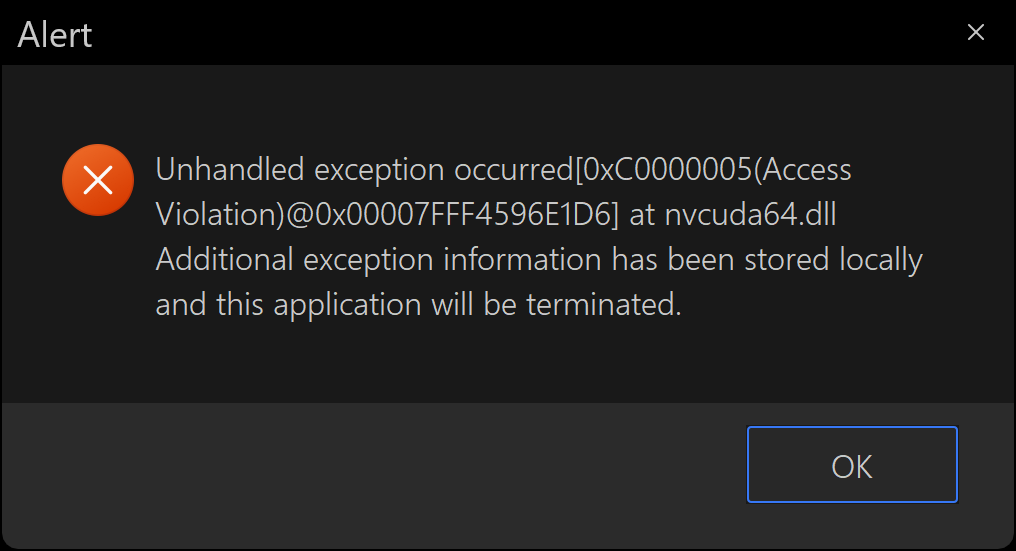
I just get this error when playing the next file in the playlist:
https://i.postimg.cc/bNKpjcVv/image.png

This only happens with 'TensorRT-RTX' set to 'on'. When it is 'off' there is no error.
Any idea why this error shows up or how to fix it?

I also tried your R79 and R81 solutions and both work but there is no change to this error showing up when playing next file...

Re: New RIFE filter - 3x faster AI interpolation possible in SVP!!!

narkohol wrote:

I just get this error when playing the next file in the playlist

Thanks, I managed to reproduce it: a playlist of 1080p, 720p and 540p files crashed SVP's mpv with the same nvcuda64.dll error. It was a bug in my vstrt_rtx.dll, which released its cached engines in the wrong order once a third video size came along.

Fixed in trt-rtx-svp-2026-10-04.zip in the same Drive folder. Coming from the 09-24 archive, only SVP 4\rife\vstrt_rtx.dll needs replacing (close SVP and the player first).

If it still crashes, tell me your player and the resolutions of the files.